
So, you’re looking to buy a new TV and keep hearing about 4K smart TVs, right? But what exactly does that mean, and is it really worth the upgrade? Whether you’re a movie lover, a binge-watcher, a gamer, or someone who just wants a sharper viewing experience, this guide will help you understand what 4K smart TVs are, why they’ve become the standard, and what to look for when buying one.
Let’s break it down together in a way that’s simple, honest, and actually helpful.
What Is a 4K Smart TV?
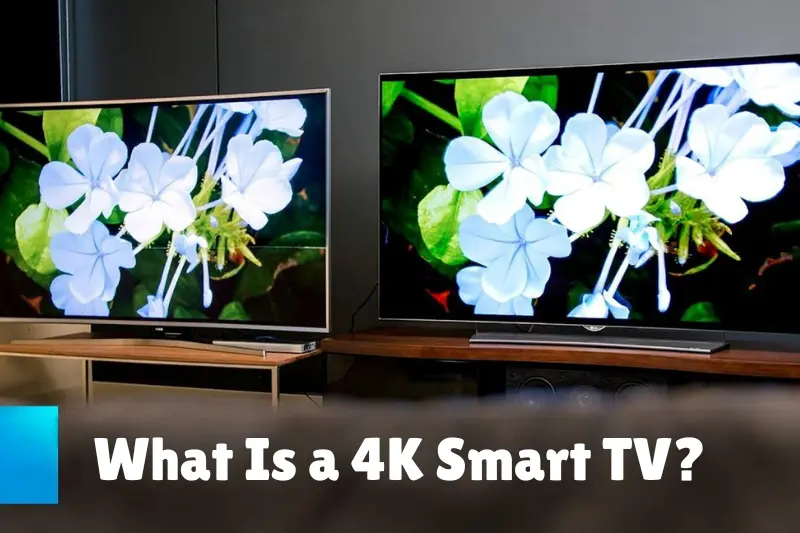
First things first—4K refers to a screen resolution of 3,840 x 2,160 pixels. That’s four times the number of pixels on a Full HD (1080p) TV. More pixels mean more detail, more clarity, and sharper images—especially noticeable on larger screens.
Now let’s add the “smart” part. A smart TV can connect to the internet and comes with built-in apps like Netflix, YouTube, Prime Video, Disney+, and more. No extra devices or streaming sticks needed—everything is already inside the TV.
So when we say 4K smart TV, we’re talking about a television that:
- Offers stunning 4K resolution
- Connects to the internet via Wi-Fi or Ethernet
- Supports a wide range of streaming apps and online features
And yes, this combination has now become the mainstream standard. Most new TVs being sold today are 4K smart TVs.
But What Makes 4K So Special?
Let’s imagine you’re watching a wildlife documentary. On a Full HD screen, you’ll get the gist—the tiger, the forest, the colors. But on a 4K smart TV, you’ll see individual strands of fur, every leaf, every drop of water with a sharpness that’s almost lifelike.
That’s because a 4K TV has over 8 million pixels on screen. Those extra pixels don’t just improve sharpness; they also enhance the depth and realism of the picture.
But here’s the truth: resolution isn’t everything. You could have a 4K TV, but if it lacks strong color accuracy or contrast, the picture may still fall flat. That’s why the best 4K smart TVs also focus on:
- HDR (High Dynamic Range): Offers better contrast and more realistic colors
- Peak Brightness: Important for viewing in bright rooms
- Black Levels and Contrast Ratio: Crucial for movie nights and darker scenes
- Color Gamut and Accuracy: Helps you see the content exactly as the creators intended
So yes, 4K is great, but it shines even more when combined with these other display features.
4K Smart TVs and Gaming

Are you a gamer? Then here’s where things get exciting.
Today’s 4K smart TVs are built with next-gen consoles in mind—especially the PlayStation 5 and Xbox Series X. These gaming systems can output native 4K resolution, and when paired with the right TV, the result is breathtaking.
Look for these features if you game a lot:
- HDMI 2.1 ports (for higher bandwidth and features like 4K@120Hz)
- Low input lag (for faster response)
- Variable Refresh Rate (VRR) and Auto Low Latency Mode (ALLM)
- Game Mode: A TV setting that reduces lag and boosts performance
Some TVs even have dedicated gaming dashboards, showing you exactly how your settings are optimized while you play.
You may also like to read this:
Top 8 Cutting-Edge Technology Shaping The Future In 2025
Best Smart TVs 2025: Affordable To Premium Options
What Is Smart TV Technology? Key Features & How It Works
Top 11 Smart TV Features To Upgrade Your Entertainment
Latest Smart TV Models 2025: Top Picks For Every Home
Smart TV Buying Guide: What To Know Before You Buy
Streaming in 4K? Yes, Please!
The good news is that most major streaming platforms now support 4K content. Netflix, Amazon Prime Video, Disney+, Apple TV+—they all offer 4K resolution for a wide selection of shows and movies.
Just keep in mind: To stream in 4K, you’ll need:
- A reliable internet speed of at least 25 Mbps
- A streaming plan that includes 4K (Netflix, for example, requires a premium plan)
- A TV with built-in streaming apps that support 4K
The right 4K smart TV will make every scene look richer and more vibrant. It’s like bringing the cinema home.
Are All 4K Smart TVs Equal?
Not quite. Just because two TVs are labeled as “4K smart TVs” doesn’t mean they perform the same. Here’s what separates a good 4K TV from a great one:
| Feature | Why It Matters |
| HDR (Dolby Vision, HDR10+) | Makes images pop with dynamic color and contrast |
| Local Dimming | Improves contrast by controlling LED zones across the screen |
| Refresh Rate (60Hz vs. 120Hz) | A higher refresh rate provides smoother motion, great for sports and games |
| Smart OS (Google TV, Tizen, webOS, Roku) | Affects app availability, ease of use, and performance |
| Voice Control | Makes navigation easier via Alexa, Google Assistant, or Bixby |
| Build Quality & Design | A thinner bezel and premium materials enhance the aesthetic and viewing comfort |
So always check beyond the resolution—read reviews, compare specs, and make sure you’re getting the features you care about.
Price Range: What Should You Expect to Spend?
One of the best parts? 4K smart TVs are more affordable than ever. You can find reliable models starting around $300–$400, especially in the 43″ to 55″ range. Premium models with OLED panels, Dolby Vision, and 120Hz refresh rates can go up to $1,000 or more, depending on size and brand.
So whether you’re on a budget or ready to invest in a premium viewing experience, there’s a 4K smart TV out there for you.
Types of 4K Smart TVs: Which One Should You Choose?
As you explore the world of 4K smart TVs, you’ll notice there are a few different panel technologies available. Each has its own strengths, so let’s break them down in simple terms:
LED 4K Smart TVs
These are the most common and affordable.
- Pros: Bright displays, wide range of sizes, cost-effective.
- Cons: Limited contrast and black levels compared to OLED.
- Best for: Casual viewing, bright rooms, and budget buyers.
QLED 4K Smart TVs (Quantum Dot LED)
Found in Samsung and TCL models, QLEDs enhance color and brightness.
- Pros: Rich colors, higher brightness, longer lifespan.
- Cons: Still rely on LED backlights, so blacks aren’t true black.
- Best for: Bright living rooms, sports fans, and vibrant movie content.
OLED 4K Smart TVs (Organic LED)
These are premium models with pixel-level lighting control.
- Pros: True blacks, stunning contrast, ultra-thin design.
- Cons: More expensive, can experience burn-in (though rare).
- Best for: Movie buffs, gamers, and dark room setups.
Mini-LED 4K Smart TVs
A newer tech that improves on traditional LED backlighting.
- Pros: Better contrast and brightness control than regular LED.
- Cons: Still can’t quite match OLED’s blacks, but very close.
- Best for: Those who want premium quality without OLED pricing.
Top Brands for 4K Smart TVs (2025 Edition)
There are many TV brands on the market, but some consistently offer great value and performance. Here’s a quick overview:
| Brand | Smart Platform | Best Known For |
| Samsung | Tizen OS | Bright QLED displays, sleek design, great apps |
| LG | webOS | Exceptional OLED quality, smooth smart interface |
| Sony | Google TV | Excellent picture processing and motion handling |
| TCL | Roku or Google TV | Affordable yet powerful 4K smart TVs |
| Hisense | Google TV | Budget-friendly with premium features |
| Vizio | SmartCast | Great value, good sound, and smart home integration |
Setting Up Your 4K Smart TV the Right Way
Once you’ve brought home your shiny new 4K smart TV, setting it up the right way can make a huge difference in your overall viewing experience. Don’t just plug it in and start watching—take a few minutes to optimize everything.
Here’s what to do:
1. Choose the Right Spot
- Distance matters: Sit about 1 to 1.5 times the screen size away from the TV for the best 4K effect. For example, for a 55-inch TV, sit about 4.5 to 7 feet away.
- Avoid glare: Place the TV away from direct sunlight or bright lights to avoid reflections on the screen.
- Wall-mount or stand? Wall mounting saves space and offers a cleaner look, but make sure the TV is at eye level when seated.
2. Connect to the Internet
- Use Wi-Fi for convenience or Ethernet for more stable streaming, especially if you’re watching 4K content.
3. Update Software
- The first time you turn on your TV, check for firmware updates. These can improve performance, fix bugs, and add new features.
4. Sign in to Apps
- Log in to your Netflix, Prime Video, YouTube, Disney+, and other accounts to personalize your smart TV experience.
5. Adjust Picture Settings
- Most TVs come with presets like Vivid, Standard, Movie, Game, or Cinema. Start with Movie or Cinema mode for the most accurate colors.
- You can fine-tune brightness, contrast, and color settings for your room lighting.
- Turn off motion smoothing (also called “Soap Opera Effect”) if movies look too fake or overly smooth.
How to Get the Best Picture Quality from Your 4K Smart TV
Even the best 4K TV won’t look its best unless it’s properly set up. Here’s how to maximize its potential:
Enable HDR
- Make sure HDR (High Dynamic Range) is turned on in both your TV settings and any connected devices (like your PS5, Xbox, or streaming box).
Use High-Speed HDMI Cables
- If you’re using external devices like a 4K Blu-ray player or game console, make sure you’re using HDMI 2.0 or 2.1 cables.
Choose the Right Streaming Plan
- Streaming services often have different pricing tiers. Make sure your subscription includes 4K streaming (e.g., Netflix’s premium plan).
Calibrate the Screen
- You can use a TV calibration tool or even online videos that help you test and fine-tune colors, contrast, and brightness.
How to Future-Proof Your 4K Smart TV Purchase
You don’t want your new TV to feel outdated in just a year or two. Here’s how to make sure your 4K smart TV keeps up with tech trends:
Buy HDMI 2.1-Ready TVs
This ensures compatibility with upcoming gaming consoles, media players, and even future 8K content delivery (if you ever upgrade).
Look for Wi-Fi 6 Support
Wi-Fi 6 allows faster and more reliable internet speeds—especially helpful for streaming 4K and 8K content in the future.
Get a TV with Regular Software Updates
Brands like Sony, Samsung, LG, and TCL offer regular firmware updates that add features, security, and performance improvements.
Choose TVs with Strong Processors
The TV’s processor plays a major role in image upscaling, smooth navigation, and voice command performance. A good processor can extend the life of your TV experience.
Conclusion
By now, it’s clear that 4K smart TVs offer far more than just a boost in resolution—they deliver an all-around upgraded experience for watching, streaming, and gaming. With crisp 4K detail, built-in smart features, and support for HDR and next-gen consoles, these TVs have truly become the new standard for home entertainment.
Whether you’re on a budget or looking for a high-end model with OLED or Mini-LED technology, there’s a 4K smart TV that fits your needs. But remember—it’s not just about pixel count. Look at things like HDR performance, refresh rates, contrast ratios, smart platforms, and future-proof features like HDMI 2.1 and Wi-Fi 6.
So if you’re ready to bring your living room into the modern age—or just want to enjoy your favorite shows, movies, or games in incredible detail—investing in a 4K smart TV is a decision you won’t regret.
Need help picking the right one? Just ask—I’d be happy to help you choose the best model for your budget and lifestyle!
FAQs
1. What does “4K” mean in a smart TV?
4K refers to the TV’s screen resolution—3,840 x 2,160 pixels, which is four times the resolution of Full HD (1080p). This means clearer, sharper, and more detailed images, especially noticeable on large screens.
2. What makes a TV “smart”?
A smart TV connects to the internet and lets you stream content through built-in apps like Netflix, YouTube, Prime Video, and Disney+. You don’t need a separate streaming device.
3. Is 4K better than Full HD?
Yes. 4K offers much higher clarity and detail than Full HD. It’s especially noticeable on screens 43 inches and above. Even non-4K content looks better thanks to upscaling technology.
4. Can I watch regular TV channels on a 4K smart TV?
Yes. 4K TVs can display all your regular cable, satellite, or antenna channels. The TV will upscale lower-resolution content to fit the 4K screen.
5. Do I need a fast internet connection for 4K streaming?
Yes. For smooth 4K streaming, you’ll need at least 25 Mbps of stable internet speed. Also, make sure your streaming plan includes 4K access.