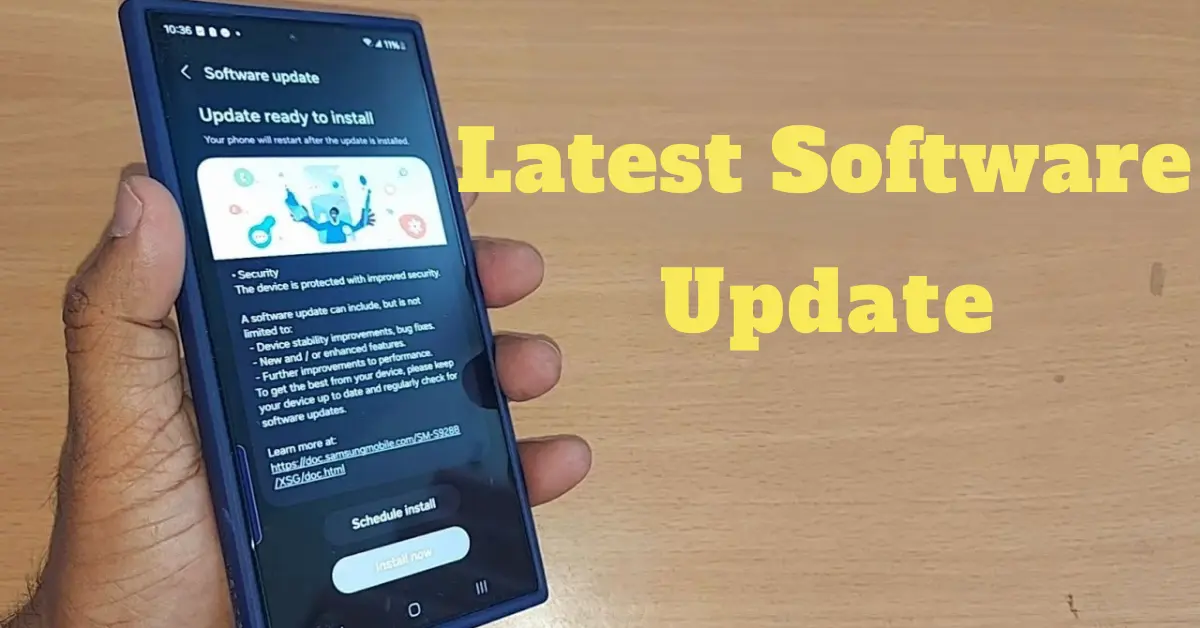

Let’s admit it—most of us have been there. You pick up your phone or open your laptop and a notification pops up:
“A new software update is available.”
And what’s the next thing we usually do? We hit “Remind Me Later.”
Sound familiar?
It might seem harmless to delay a software update, but in today’s digital world, keeping your devices and apps up to date is one of the most important things you can do to stay secure, efficient, and ahead of the curve.
In this article, we’re going to walk you through why the latest software updates matter, what benefits they bring, and how you can make updating your tech totally stress-free.
What Are Software Updates, Exactly?

Before we dive into the details, let’s break it down:
A software update is a package of improvements sent by developers to fix bugs, patch security flaws, enhance performance, or add new features. These updates apply to all kinds of devices—phones, laptops, tablets, smart TVs, smartwatches, and even apps like WhatsApp, Chrome, Instagram, or your favorite games.
When we talk about latest software updates, we’re referring to the most recent versions released by the developers to improve your device or application.
Why the Latest Software Updates Matter
1. Stronger Security
This is the #1 reason why updates should never be ignored.
Every day, new viruses, malware, ransomware, and other threats are being developed by hackers. If your software is out of date, it may contain vulnerabilities that these cybercriminals can exploit. Updates often include security patches that fix these weak points.
Skipping updates is like leaving your front door unlocked.
Keeping your device updated means you’re shutting down those vulnerabilities before anyone can exploit them.
2. Improved Performance and Stability
Have you ever noticed your phone freezing, crashing, or becoming slower over time?
This might not be a hardware issue—it could simply be that you’re running outdated software. Developers use updates to optimize system performance. That means smoother operation, faster response time, and fewer bugs.
The latest software updates often improve things like:
- App loading speed
- Battery life
- Wi-Fi and Bluetooth connectivity
- System crashes or freezes
In short, updates can breathe new life into your device.
3. Cool New Features
Another reason to love updates? You get access to new tools and features.
Whether it’s new emojis, design changes, a better camera experience, or smarter notifications, updates are where innovation happens.
Example:
When iOS updates roll out, you’ll often see brand-new features like Focus Mode, redesigned widgets, or better Face ID recognition. Android does the same with updates like Material You themes or improved battery saving modes.
By ignoring updates, you’re missing out on the best your device can offer.
You may also like to read this:
Smart TV Buying Guide: What To Know Before You Buy
Best 4K Smart TVs For Movies, Gaming, And Streaming In 2025
Don’t Skip Software Security Updates—Here’s Why They Matter
Top 6 Popular OS For Smart Devices You Should Know
Top 11 Software Development Trends You Must Know In 2025
Top 9 New Operating Systems 2025 For Every Type of U
4. Bug Fixes
We all get frustrated when apps crash unexpectedly or when settings behave strangely. Many times, these are caused by known bugs in older software versions.
Software updates fix these bugs—sometimes quietly in the background. If your device has been acting weird, installing the latest software update might fix everything.
Why You Shouldn’t Delay Updates
Let’s get one thing clear: ignoring or postponing updates is risky.
Even if you think your phone or computer is working “just fine,” outdated software can be silently exposing you to threats, slowing things down, or simply keeping you from experiencing the latest improvements.
Plus, applying updates usually takes just a few minutes. Compare that to the time and headache of recovering from a virus or data breach.
So next time you get a notification, don’t swipe it away—tap “Update Now.”
Enable Automatic Updates (Set It and Forget It)

We get it—life is busy. It’s easy to forget to manually check for updates. The good news? You can enable automatic updates, and your device will take care of everything for you.
Here’s how:
For Android:
- Open Settings
- Tap Software Update or System Update
- Enable Auto Download/Install Over Wi-Fi
For iPhone (iOS):
- Go to Settings → General → Software Update
- Tap Automatic Updates → Turn on both Download iOS Updates and Install iOS Updates
For Windows:
- Open Settings → Update & Security → Windows Update
- Click Advanced Options → Enable Automatic Updates
For macOS:
- Go to System Settings → General → Software Update
- Enable Automatic Updates
Automatic updates ensure you’re always protected—without even thinking about it.
Common Myths About Software Updates
Let’s bust a few myths while we’re here:
“Updates make my phone slower.”
Truth: Sometimes older devices struggle with new features, but updates also optimize performance. It’s better to stay updated than vulnerable.
“I don’t need updates if I don’t install new apps.”
Truth: Even system-level features and default apps need updates to stay secure.
“Updates eat up my storage.”
Truth: Most updates are optimized for minimal storage use. And old files are often removed automatically.
How Often Should You Check for the Latest Software Updates?
If automatic updates are enabled, your device will handle it for you. But if you like to be hands-on, check manually every week or two—especially for apps downloaded from outside app stores.
Also, keep an eye on major updates announced by Apple, Microsoft, Google, or Android OEMs like Samsung, OnePlus, or Xiaomi. These often come with important changes.
Pro Tips for Managing the Latest Software Updates
To make your update process smoother and hassle-free, here are a few expert tips:
1. Backup Before Major Updates
Before installing big updates (like iOS 18 or Windows 12), back up your data. While updates are generally safe, there’s always a slight risk of crashes or glitches. Use iCloud, Google Drive, or external hard drives to secure your important files.
2. Use Wi-Fi for Downloads
Updates can be large in size. Always use a stable Wi-Fi connection instead of mobile data to avoid extra charges and ensure the download isn’t interrupted.
3. Schedule Updates During Downtime
Most devices let you schedule when updates install. Choose a time when you’re not actively using the device—like during the night or while you’re at work.
4. Keep Apps Updated Too
It’s not just your system software that matters. Outdated apps can also be a security risk. Visit the App Store or Google Play Store and regularly check for updates to all your installed apps.
5. Watch for Fake Update Prompts
Cybercriminals sometimes send fake pop-ups that look like update requests—especially in browsers. Only install updates from official sources (Settings app, app store, or official website).
Why the Latest Software Updates Are a Smart Habit
To put it simply, applying the latest software updates is one of the most effortless and effective ways to protect your digital life. You wouldn’t ignore a warning light in your car, right? The same logic applies here—ignoring updates puts your data, identity, and personal information at risk.
Here’s a quick recap:
- Stay protected from malware, hackers, and security breaches
- Enjoy faster, smoother, and more reliable device performance
- Get access to new features and the latest tech advancements
- Avoid bugs, crashes, and frustrating glitches
Best Practices for Handling Software Updates
Following a few smart habits can make managing updates painless and ensure your devices are always secure and optimized.
1. Update Regularly, Not Randomly
Don’t wait until you’re forced to update. Get into the habit of checking for updates weekly if you don’t have automatic updates enabled. Frequent updates reduce the chance of data loss or crashes when larger upgrades roll out.
2. Keep Your Device Charged or Plugged In
Software updates may consume a significant amount of battery during installation. Always ensure your phone or laptop is at least 50% charged or plugged in before starting the update process.
3. Read Update Notes
Before installing, review what the update includes. This helps you understand what’s changing—whether it’s a security patch, new design, or bug fix.
4. Clean Up Before Major Updates
Delete old files, uninstall unused apps, and clear your device’s cache to make sure your system has the space and resources it needs for a smooth update process.
The Role of Software Updates in Business & Workplaces
In a professional environment, the impact of latest software updates is even more critical. Here’s why organizations take them seriously:
1. Cybersecurity Compliance
Companies must comply with cybersecurity regulations and industry standards. Installing updates ensures they are not violating data protection laws like GDPR or HIPAA.
2. Avoid Downtime
System crashes, bugs, and ransomware attacks can cause massive business disruptions. Updates help prevent these issues, ensuring smooth operations.
3. Protecting Company Data
Business devices often carry sensitive data—financial reports, employee records, intellectual property. Skipping updates puts all of it at risk.
4. Productivity and Efficiency
Updated systems and apps work faster and better, which directly improves employee productivity.
Bottom Line for Businesses: Outdated systems are one of the top causes of data breaches. Routine updates are not optional—they’re a necessity.
What Happens If You Skip Software Updates?
It may seem harmless in the short term, but delaying or skipping updates comes with significant downsides:
1. Security Vulnerabilities
Hackers actively look for unpatched devices to exploit. If your device hasn’t been updated, you’re a target.
2. Device Slowdown or Malfunctions
Outdated software can cause apps to crash, features to break, and the overall system to slow down or behave unpredictably.
3. Incompatibility
Apps that are updated might not work well (or at all) with an outdated operating system, causing crashes or data loss.
4. Missing Features
You’ll miss out on the latest tools and conveniences—voice controls, new camera modes, AI enhancements, and more.
5. Unsupported Devices
Eventually, older software stops receiving support from developers. That means no fixes, no help, and no improvements.
Global Trend: More Users Embracing Timely Updates
The good news? Around the world, more users are getting serious about updating their tech:
- Apple reports that over 80% of iPhone users are on the latest iOS version within a few months of release.
- Microsoft now uses automatic updates on Windows 10 and 11 to ensure users stay protected.
- Google’s Play Protect system checks for app and security updates on Android devices daily.
This trend shows a growing awareness that staying up to date is no longer optional—it’s essential.
Conclusion
In today’s fast-moving digital world, keeping your devices and apps updated isn’t optional—it’s essential. The latest software updates protect you from security threats, improve performance, and bring exciting new features.
Skipping updates may seem harmless, but it can expose your data, slow down your device, and limit functionality. On the other hand, enabling automatic updates and checking regularly ensures your tech runs smoothly and securely.
So next time you see that update notification, don’t delay—tap “Update Now” and keep your digital life safe, fast, and future-ready.
FAQs
1. Why are software updates important?
Software updates fix security flaws, improve performance, and add new features. They help protect your device from malware, bugs, and hackers.
2. How often should I update my device?
If you’ve enabled automatic updates, your device will update on its own. Otherwise, it’s a good idea to check for updates manually every week or two.
3. What happens if I don’t update my software?
Delaying updates can lead to:
Security risks
Slower performance
App crashes
Compatibility issues
Missing out on new features
4. Can I update using mobile data?
Yes, but it’s better to use Wi-Fi, as updates can be large and might consume a lot of mobile data.
5. Will a software update erase my data?
No, most updates don’t delete your data. Still, it’s wise to back up your device before major system updates—just in case.