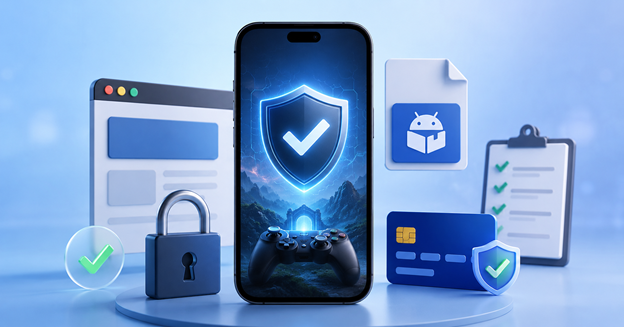

Yes spin slot 777 may be shared through websites, social media accounts, Telegram groups, WhatsApp messages, or gaming communities. However, the name alone does not prove that every link, APK file, or support account connected to it is genuine.
Before creating an account, installing an app, making a payment, or submitting personal details, take a few minutes to check exactly what you are dealing with. This guide explains the most important safety checks in a simple and practical way.
Can Yes Spin Slot 777 Be Considered Safe?
There is no responsible way to declare an online gaming platform completely safe based only on its name, logo, promotional posts, or app screenshots.
Safety depends on several factors, including:
● Where the app was downloaded
● Who operates the platform
● What permissions the app requests
● How account details are protected
● How payments and withdrawals are handled
● What information is collected from users
● Whether official support can be verified
The right approach is to examine each of these areas separately.
1. Check the Website Address Carefully
Start by confirming the exact website address.
Imitation websites often use names that look almost identical to the original. A fake address may contain an extra letter, number, hyphen, or word such as “VIP,” “official,” “bonus,” or “download.”
Before entering your phone number or password, check:
● The spelling of the domain
● Whether the connection uses HTTPS
● Whether company or operator details are provided
● Whether contact information is consistent
● Whether terms, privacy information, and support details are available
● Whether the website contains broken sections or suspicious redirects
HTTPS protects data while it travels between your browser and the website. It does not confirm that the business behind the website is trustworthy.
Avoid opening shortened links from unknown Telegram users, WhatsApp numbers, or social media accounts. These links can hide the actual destination.
2. Verify the APK Before Installing It
Android users should be especially careful when an APK is offered outside the Google Play Store.
An APK downloaded from an unknown source may have been modified, repackaged, or combined with unwanted software. Even when the app looks normal after installation, it may still collect data or run hidden processes.
Check the following details before installing:
● Developer or publisher name
● App version
● File size
● Update date
● Download source
● File name
● Security scan result
If two websites provide files with very different sizes or names, do not assume both are genuine.
You can scan the file using a trusted mobile security tool before installation. Do not ignore a security warning simply because a download instruction tells you that the warning is normal.
A legitimate app should not require you to disable antivirus protection or other device security features.
3. Review Every Permission Request
App permissions show what an application can access on your phone.
A gaming app may need internet access and limited storage access. Other permissions should have a clear purpose.
Be careful if the app asks for access to:
● SMS messages
● Contacts
● Call history
● Microphone
● Precise location
● Accessibility controls
● Device administrator settings
● Permission to install other apps
● Continuous background activity
Camera access may be required for identity verification or profile images, but the app should explain why it is needed.
Do not approve every permission automatically. Android allows users to deny permissions and review them later through the phone’s settings.
Remove access that appears unnecessary.
4. Secure Your Account and OTP
A strong password is one of the simplest ways to reduce account risk.
Use a password that you do not use for Gmail, banking, social media, UPI apps, or other gaming accounts. Reusing the same password can place several accounts at risk if one service is compromised.
Follow these basic rules:
● Never share your password
● Never share an OTP
● Do not send login details through WhatsApp or Telegram
● Avoid signing in through links sent by strangers
● Enable two-step verification when available
● Log out after using a shared phone
● Check for unfamiliar login activity
A genuine support representative should not ask for your full password or OTP.
Readers who are reviewing the platform for the first time can also refer to these safety tips for Yes Spin users before submitting personal or financial information.
5. Understand Payment and Withdrawal Terms
Do not make a payment until you understand how deposits and withdrawals are supposed to work.
Review:
● Minimum deposit amount
● Minimum withdrawal amount
● Processing time
● Transaction fees
● Identity verification requirements
● Withdrawal limits
● Reward conditions
● Rules for inactive or restricted accounts
The UPI ID, bank account, or payment recipient should have a clear connection to the platform.
Be careful if a person claiming to be an agent sends a personal UPI ID through chat. Do not rely only on a profile photo, logo, or screenshot as proof.
A serious warning sign is a demand for another payment to release a withdrawal. Similar requests may be described as:
● Account activation charges
● Withdrawal-unlock fees
● Advance tax payments
● Security deposits
● Verification charges
● Reward-release payments
Keep copies of transaction IDs, screenshots, receipts, emails, and support conversations. These records can be useful if a payment problem needs to be reported.
6. Read the Privacy Information
Some gaming platforms request phone numbers, PAN details, payment information, or identity documents.
Before submitting anything, check whether the platform explains:
● What information it collects
● Why the information is required
● How the information is stored
● Whether it is shared with another company
● How long it is retained
● How users can request correction or deletion
● Who to contact about privacy concerns
Do not send Aadhaar, PAN, bank statements, or selfies to an unofficial Telegram or WhatsApp account.
When appropriate, add a watermark to document copies stating the purpose and date. For example: “Submitted for account verification only — 28 July 2026.”
This can reduce the chance of the document being reused for another purpose.
7. Confirm the Official Support Channel
Fake support agents are common around gaming and payment-related services.
An impersonator may copy the platform’s logo, username, profile image, and promotional material. The account may look convincing even when it has no official connection to the operator.
Reliable support should normally provide:
● An official email address
● An in-app help option
● A complaint or ticket number
● Clear working hours
● A payment-dispute process
● A method for escalating unresolved issues
Compare support details across the website and app. If the email address, phone number, or username changes from one place to another, verify it before continuing.
Do not allow a support agent to control your phone through a screen-sharing or remote-access app.
8. Watch for Clear Warning Signs
Stop and investigate if you notice any of the following:
● Guaranteed winning claims
● Pressure to deposit immediately
● Requests for an OTP or password
● APK files sent through private chat
● Personal UPI accounts used for deposits
● Instructions to disable phone security
● Repeated redirects to unrelated websites
● Missing operator details
● Unclear withdrawal conditions
● Unexpected fees after a withdrawal request
● Fake countdown timers
● Support agents refusing to provide written confirmation
One problem may be caused by a technical error. Several problems appearing together usually indicate a greater risk.
9. Keep Your Phone Secure
Platform safety also depends on the condition of the user’s device.
Keep Android, Chrome, security apps, and other installed applications updated. Old software may contain vulnerabilities that have already been fixed in newer versions.
Useful device checks include:
● Use a PIN, password, or fingerprint lock
● Avoid payments on public Wi-Fi
● Turn off “install unknown apps” after installation
● Review apps with accessibility access
● Remove apps you no longer use
● Check unusual battery or data consumption
● Scan the phone regularly
● Review bank and UPI activity
Unexpected pop-ups, rapid battery drain, unexplained data usage, or apps appearing without permission may indicate unwanted software.
10. Check Age and Local Legal Requirements
Online gaming rules may vary depending on the user’s location and the type of game involved.
Before using any platform, confirm:
● The minimum age requirement
● Whether the service is available in your state
● Whether deposits or cash prizes are involved
● Whether identity verification is mandatory
● Whether tax rules apply
● Whether the operator restricts users from certain regions
Do not assume that an app is permitted simply because it can be downloaded or opened.
Rules can change, so users should check current information from relevant government or regulatory authorities when legal status is unclear.
Quick Safety Checklist
Before using Yes Spin Slot 777, confirm that:
● The website address has been checked
● The operator’s identity is clear
● The APK comes from a source you trust
● The file has been scanned
● App permissions have been reviewed
● A unique password is being used
● No OTP has been shared
● Payment details have been verified
● Withdrawal conditions are understood
● Privacy information is available
● Official support details are confirmed
● Local age and legal requirements have been checked
Do not proceed when important information is missing, inconsistent, or difficult to verify.
Conclusion
Checking whether Yes Spin Slot 777 is safe requires more than looking at its design, logo, or promotional messages.
Users should verify the website address, APK source, requested permissions, payment details, privacy practices, support contacts, and local requirements. Account passwords and OTPs should always remain private, while payment requests from personal accounts or unofficial agents should be treated carefully.
No security checklist can remove every possible risk. However, taking these steps can make it easier to recognise copied websites, modified APK files, fake support accounts, suspicious payment requests, and unsafe data collection.
Take your time, verify important details, and stop whenever something does not appear clear or consistent.